Omarchy 2.0 - Recommended for Beginners?
The most important video on my YouTube channel is “Don’t Outsource Your Decisions”:
The questions I get the most, literally every single day, come in this format: “Akita, should I go to college?”, “Akita, what do you think I should study?” and variations of that.
Dude, I don’t know you, I will never know nor will I ever be interested in knowing who you are, what you aim for, your aspirations, ambitions, tastes, preferences. Nothing. Neither me nor ANYONE ELSE. Only you know what’s best for you. If you don’t know, go find out. That’s what LIVING means.
What you won’t admit is that you want someone you consider more important or relevant to approve your choice and tell you that you got it right.
Never expect that from me, I will never validate you.
I will always say: FIGURE IT OUT. That’s how I became who I am. I never followed anyone, I never asked anyone what I should do. I just went there and did it. Fell on my face, got up, tried again. That’s life.
Let me show you what actually BOTHERS me:
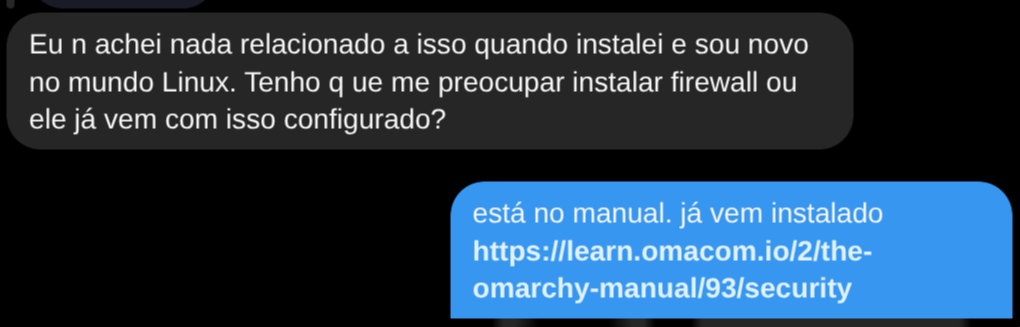
Let’s check the manual?

DHH took the trouble to write a manual. It has a section called “Security”. A quick Google search would have found it. Or this other gem:
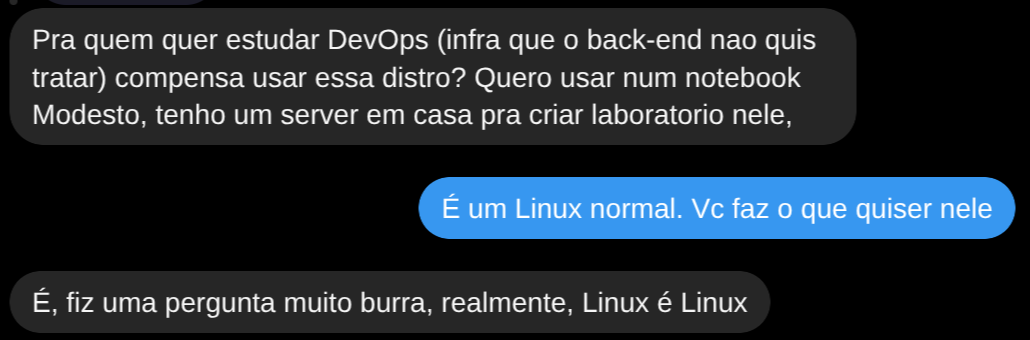
How do you want to become a “DEVOPS” (who has to know EVERYTHING about Linux) starting like this? Already off to a bad start. Park your butt in the chair, roll up your sleeves, and test them one by one, and learn.
Linux for Beginners?
That said, watch my video. But since I’ve been talking a lot about Omarchy already, I’ll say that yes, this is what I use in my day to day and it’s the only one I’ll recommend for the near future (I may change my mind later). Having used distros ever since Linux was invented in the early 90s, I know there are dozens of distros and even I don’t have the patience to try them all.
Why Omarchy?
First, because it made the right choice of base distro: Arch Linux. I consider it the best distro out there today for two reasons: it has very little “bloat” (it doesn’t install a bunch of stuff you’ll never use, like Ubuntu, Fedora, Mint, Deepin, or any of those other “beginner-friendly” distros).
Second, Arch Linux has the AUR, which is a repository of user-made packages that has basically everything. You don’t need to go hunting for third-party repositories or install things manually. With a single command, yay, you install everything. There’s none of that apt-repository add nonsense or having to make install or anything like that. The AUR manages all of it for you.
Third, it installs Hyprland (which I was already using and liked), with very good configs, and a very good package selection. Everything I would install manually myself. So it’s a thousand times easier to get what would take me much more work to do on my own. Check my series of posts about Omarchy to see those options.
Linux for Beginners?
Beginner at what?
I hate this question. If you’re really an amateur user, not a programmer, maybe you’re an accountant, maybe you’re just a teenage gamer. The first question I ask is: why do you want to use Linux?
Let’s say it’s because you heard it’s more secure (and it actually is). Then it doesn’t matter, any distro will do. Install Ubuntu, install Manjaro, install Garuda. It makes no difference, because you’ll never deal with anything under the hood. You’ll open Chrome, open Steam, and that’s it. The rest is going to be web apps.
Let’s say it’s just for gaming, then install Bazzite on your mini-PC or handheld. Or just install your games on a separate Windows box just for gaming like I did. Whatever.
Or just stick with Windows or macOS. If you’re a total amateur, you’re probably going to use the same weak password for everything, and click on WhatsApp links without checking who they’re from. It literally makes no difference which OS you use. No security from any OS will protect you from your bad habits and ignorance.
If you’re a beginner at programming or tech, then I have no mercy: learn Linux properly. You want to be a professional, be a professional, learn the right way: learn to have 100% control over your own machine. There’s no step-by-step or tutorial for that. It’s something you’re going to do continuously for the rest of your life. I’ve been in this field for over 30 years and I still learn new things every day.
Hardware
The BIGGEST problem anyone is going to face, with ANY distro, is going to be hardware support. And that’s why you shouldn’t just follow what someone recommends to you:
Nobody has the same PC as you.
What’s your notebook? A Lenovo? A Dell? A Positivo? From what year? Which model?
Everything varies: which Wi-Fi and Bluetooth device? Which graphics card? Which firmware is running? With which power profile support? Do you need FIDO2 devices for things like a fingerprint reader? Hardware keys? Does your machine have TPU? Will you need Secure Boot?
I don’t know. You are the one who has to know.
A practical example, I have an Asus Zephyrus G14 notebook that I use with Windows because it only lives in my workshop to run Bambu Studio to control my X1C 3D Printer. I haven’t gotten around to installing Omarchy on it, but let’s say I wanted to. Would it work?
Fortunately there’s a page on the ArchWiki dedicated to this model. It looks like everything works “out-of-the-box”. But if it were the previous year’s version I’d have to check extra items. There are Wi-Fi issues, for example.
Each different machine will have different problems.
Live Env and Ventoy
“So what do I do, you [censored]?”
That’s why pretty much every good distro offers an installation ISO that comes with a live environment. I’ve seen a lot of people on Windows who have trouble knowing what to do with an ISO. It’s very simple.

The easiest program to use is Balena Etcher. You download the file with the .iso extension, whether from Ubuntu, Mint, Elementary, etc (ALWAYS FROM THE OFFICIAL SITE!!!!). Open Balena and there are only 2 steps: select the image (the ISO file), select the drive (your pen drive, careful not to pick your HD!), and done.
Now just boot your PC and go into the BIOS to select the pen drive to boot from, or use a key like F12 (varies from BIOS to BIOS) to have UEFI select your pen drive.
That will boot the Live Environment straight from the pen drive.
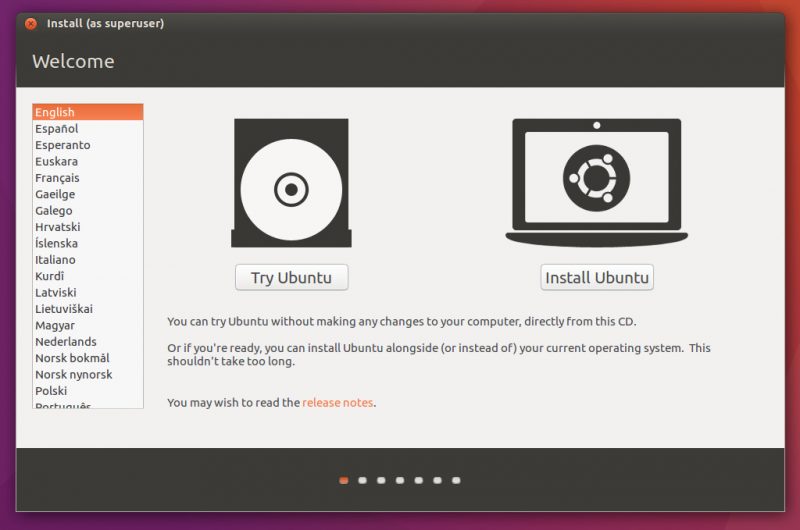
Most distros start by opening a “Welcome” screen similar to the one above. This installer app is called Calamares and everyone with a graphical installer uses it. That’s why it looks similar across all of them. It’s the same step-by-step. If you’ve installed one distro, you’ve installed them all.
But you don’t have to follow Calamares. You can close it. And now you’re already in the graphical environment of the distro you chose to install. USE IT. Try to configure your Wi-Fi, try to pair your Bluetooth headphones or mouse, try to turn on the webcam, put in a micro-SD card and see if it shows up. Try to browse the web and feel the performance.
If at this point you can do all the basic things, it means the chances that everything will work are high. If at this point you already start having problems, like not being able to connect to your Wi-Fi, that distro is probably going to give you a headache. Start by going to Google and see if somebody has already solved the problem for your notebook or PC model, before continuing with Calamares.
Let’s say you decided to take the day to test several distros to see which one runs best on your machine. Great call, but you’ve probably figured out that it’s going to be a huge pain to have several pen drives, one for each distro. Or having to keep going back to Windows and using Balena to overwrite a new distro on your only pen drive.
You don’t need to do that.
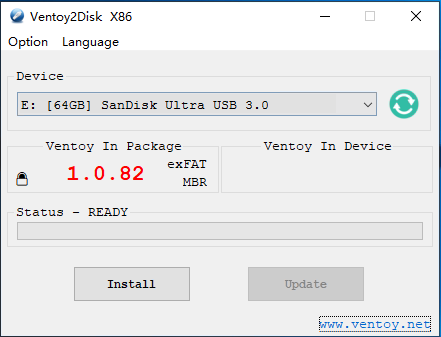
You just have to first download and install Ventoy on your pen drive. Check the documentation on their site, but it’s ridiculously simple.
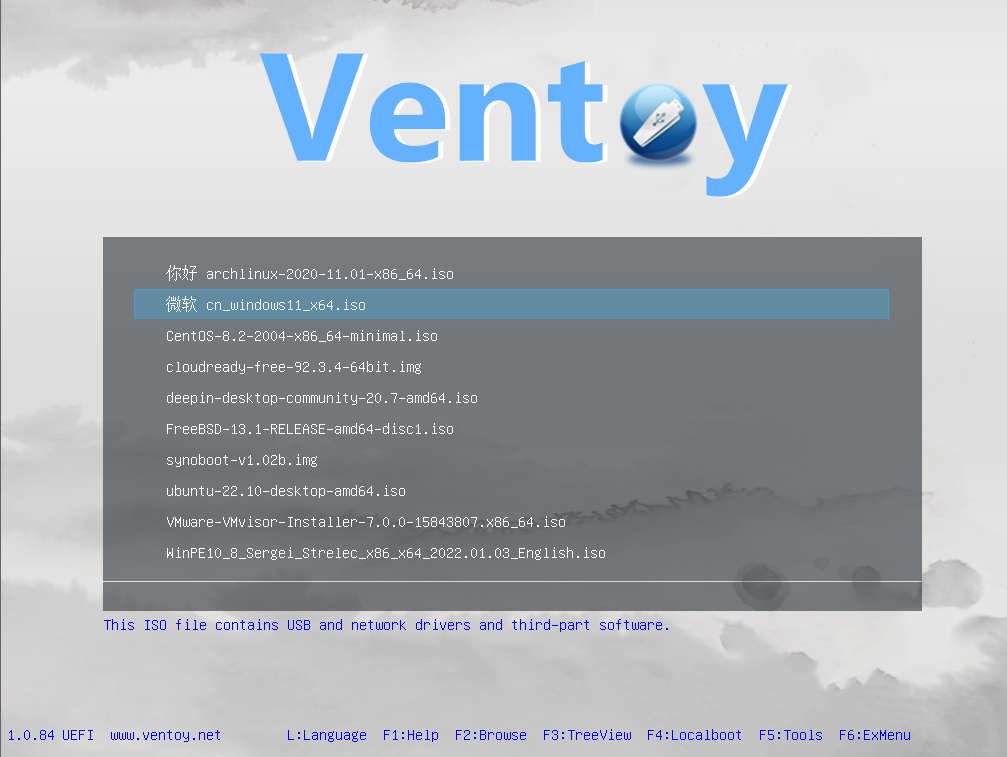
After installing it on your pen drive, now just copy ALL THE ISOS you want at once onto the pen drive. When you boot from it, you’ll enter the Ventoy menu, which lets you pick any of the ISOs you copied there. If you didn’t like the current distro, just reboot into Ventoy again and pick another ISO. It’s that simple.
Distrobox
Let’s say you’re a programmer, or a devops, or any tech professional. Your concern isn’t so much the graphical interface (which you can test with Ventoy), but whether the OS infrastructure is going to work with your development requirements.
Let’s say you use Fedora. I wonder, if I go to Mint, will it have the K8s packages the way I need them? Does it support the Java version I use? If I build a .deb package on my Fedora, will it install properly on Ubuntu?
Having to dual boot or install a VM feels too heavy, too much work, just to test 2 command lines, for example.

That’s what Distrobox is for. It needs Docker or Podman already installed on your machine. But after that you just do:
distrobox create -n debian-test --init --image debian:latest --additional-packages "build-essential"Once the box is created you just enter it:
distrobox enter debian-testDone, you’re inside Debian, super fast. Since it’s a Docker container, you can map directories on your local machine into the container, so everything stays integrated. And the most important thing: it loads super fast, because it’s just a Docker container.
The Quick Start guide explains all of that and has this video with a tour to demonstrate how it works:
Conclusion
Seriously. With Distrobox there’s no excuse not to test another distro in 2 minutes. Stop wasting time sending DMs to “influencers”. See for yourself! If you’re not capable of doing that, maybe you’re in the wrong profession.
Every “dev” or tech professional, whether devops, cybersec, data analyst, blah blah blah, whatever the trendy title is these days, MUST have control over their own machine. MUST know how to deal with security (that’s why I wrote posts about Vaultwarden, Cloudflare, SSH, etc).
IT’S YOUR RESPONSIBILITY!
Don’t outsource your responsibility to others. Don’t look for validation. Be promiscuous and test whichever distros you want, and do whatever you want on those distros: they are yours! There’s no such thing as a “distro for beginners”, “distro for devs”, “distro for devops”. A distro is a distro. Linux is Linux. It’s all the same, what varies is your skill. If you don’t have the skill: earn it! Learn! Break your head over it! Pull all-nighters tuning configs! Read the official documentation! Don’t waste time thinking you’re going to learn on social media. You won’t.
I’ve been using Linux since the early 90s and I don’t stick with Slackware just because it was the first one I learned and I feel a need to validate my first choice. I use whichever ones I want. Right now, I had my own Hyprland setup, and I decided I wanted to learn and use Omarchy. I spent the week banging my head against it, and wrote half a dozen blog posts. And now I’ve learned. I know Omarchy: one more for the collection.