Vibe Code: I Built a Mega Clone in Rails in 1 Day for My Home Server
I’ve wanted a private file sharing service on my home server for a long time. You know when you need to send someone a big file? “Ah, use Google Drive.” No. “WeTransfer?” Also no. I want full control. I want to know where my files are, how long they exist for, who downloaded them, and I don’t want to depend on a third-party service for something this simple.
So I did what any programmer would do: sat down, wrote a spec document, and with the help of Claude Code (Claude Opus 4.6) I built FrankMega, a simplified, self-hosted Mega clone, in Rails 8, in a single day of work. 21 commits, 3 hours of active development, 210 tests, zero external dependencies beyond SQLite.

And before the smart guy shows up in the comments with “ah, but Vibe Coding is just prompt engineering, anyone can do it” – hold on. This post exists exactly to show that it isn’t.
From Idea to Code: the IDEA.md
Every project starts with a document. Mine was docs/IDEA.md – 56 lines describing what I wanted:
- Single file upload, with a shareable link
- Download counter (default 5, configurable)
- Automatic expiration within 24 hours
- Full authentication: password + 2FA + passkeys
- No public registration page – invites only
- Admin creates invites, manages users, bans abusers
- Aggressive rate limiting, automatic IP banning
- Deploy via Docker + Cloudflare Tunnel on my home server
- Stack: Rails 8, SQLite, Tailwind CSS, Hotwire/Stimulus
I deliberately added at the end: “Suggest important features that may be relevant for a service like this.” Because I know a spec document never covers everything. And that’s where the interesting part begins.
The Big Bang: Commit #1
The first commit (e277226) at 12:17 delivered 207 files, 6,901 lines of code. In a single commit. Yes, I know it’s controversial, but when you’re building from scratch with AI, the first commit is necessarily huge.
What came in that initial commit:
- Full authentication with
has_secure_password(bcrypt), TOTP viarotp, passkeys viawebauthn - Invitation system with unique codes and expiration
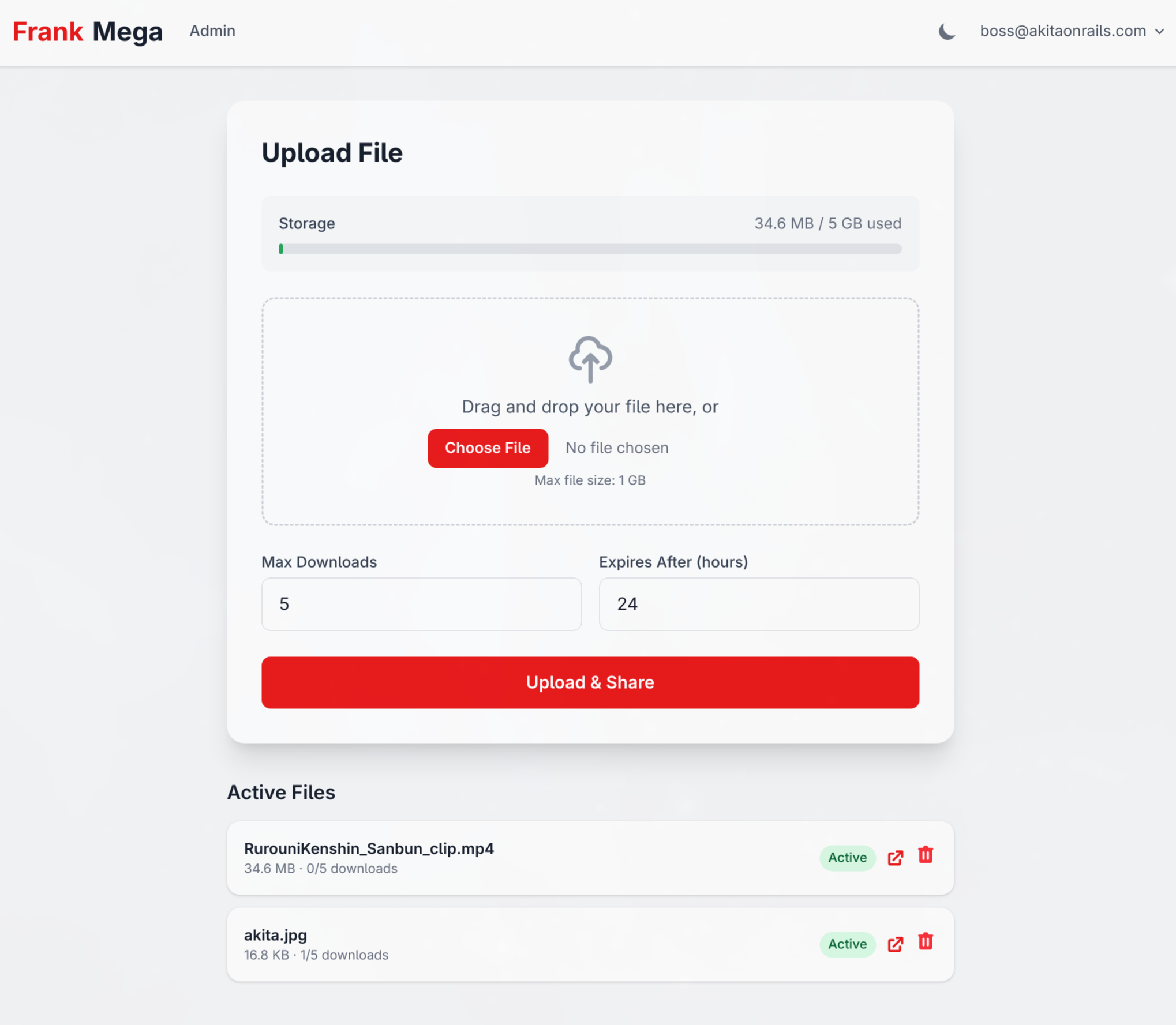
- Full admin panel (Users, Invitations, Files, MIME Types)
- Upload with Active Storage + drag-and-drop via Stimulus
- Download links with 24-byte hashes (
SecureRandom.urlsafe_base64(24)) - Rate limiting via Rack::Attack on every public endpoint
- Automatic IP banning with a
Banmodel and async job - Dark/light theme with Tailwind CSS inspired by Mega.nz
- 73 tests (Minitest + FactoryBot)
- Docker configuration with Puma + Thruster
- Solid Queue/Cache/Cable – zero Redis
Got it? All of that in commit #1. The IDEA.md became functional code in a single shot. But here’s the point: the first commit was not production-ready. Not even close.
The Reality: 20 Iteration Commits
After the Big Bang came 20 commits over 3 hours. And this is where the truth about software development lives, the one no “Vibe Coding” tutorial will tell you.
Phase 1: “Works on my machine” (12:40 - 12:46)
Four commits in 6 minutes. You know what happened? I went to build the Docker image and it broke. Missing libssl-dev. Fixed it. Then the CSP (Content Security Policy) from secure_headers clashed with the inline scripts from Rails’ importmap. Fixed it. Changed the port from 3000 to 3100 to avoid colliding with other services on my server.
Look at commit 389ebe8:
# CSP is now handled by the Rails built-in, not by secure_headers
# Because secure_headers doesn't support nonces for importmap inline scripts
config.csp = SecureHeaders::OPT_OUT
This kind of gem incompatibility you only discover in the moment. No LLM will warn you about this up front because it’s a specific combination of versions.
Phase 2: The Security Commit – 22 Issues Fixed (13:10)
This is the most important commit of the entire project: 4a854a6. 35 files, 612 lines, 22 security issues fixed. I’ll go into detail because this is where toy code separates from production code.
What the initial commit got wrong:
CRITICAL – Encryption keys with hardcoded fallbacks:
# BEFORE (dangerous):
config.active_record.encryption.primary_key = ENV.fetch("KEY", "test-primary-key")

# AFTER (fail-fast):
if Rails.env.production?
  config.active_record.encryption.primary_key = ENV.fetch("ACTIVE_RECORD_ENCRYPTION_PRIMARY_KEY")
end
If the ENV var didn’t exist in production, the app would happily run with the hardcoded key. Anyone reading the source code could decrypt every user’s OTP secrets. Now in production, if the variable is missing, the app crashes on boot. That’s the correct behavior.
CRITICAL – Replay Attack on OTP:
# BEFORE:
def verify_otp(code)
  totp = ROTP::TOTP.new(otp_secret)
  totp.verify(code, drift_behind: 30, drift_ahead: 30).present?
end

# AFTER:
def verify_otp(code)
  totp = ROTP::TOTP.new(otp_secret)
  timestamp = totp.verify(code, drift_behind: 30, drift_ahead: 30)
  return false unless timestamp

  # Prevent replay: reject if this code's timestamp was already used
  if last_otp_at.present? && Time.at(timestamp) <= last_otp_at
    return false
  end

  update_column(:last_otp_at, Time.at(timestamp))
  true
end
Every TOTP tutorial online shows verify(code).present? and stops there. The problem: a TOTP code is valid for 30 seconds. If I intercept your code (shoulder surfing, camera, clipboard), I can use it multiple times in that window. last_otp_at guarantees real one-time use.
HIGH – Race Condition on the Download Counter:
# BEFORE (race condition):
def increment_download!
  increment!(:download_count)
end

# AFTER (atomic):
def increment_download!
  self.class.where(id: id)
      .where("download_count < max_downloads")
      .where("expires_at > ?", Time.current)
      .update_all("download_count = download_count + 1") == 1
end
increment! does: (1) read the value, (2) add 1 in Ruby, (3) write it back. Two simultaneous requests can both read 4, both write 5, and the user gets two downloads when they should only have had one. The atomic UPDATE ... WHERE in SQL guarantees only one request wins. And the == 1 returns success/failure in a single operation, with no lock.
This is the classic TOCTOU bug (Time of Check, Time of Use). You’ll never see it in local development with one browser. It only shows up in production with concurrent requests.
HIGH – Open Redirect after login:
# AFTER:
def safe_redirect_url?(url)
  uri = URI.parse(url)
  uri.host.nil? || uri.host == request.host
rescue URI::InvalidURIError
  false
end
Without this, an attacker could send a link like frankmega.com/session?return_to=https://evil.com and after login the user would be redirected to the malicious site.
MEDIUM – Predictable CSP nonce:
# BEFORE:
config.content_security_policy_nonce_generator = ->(request) { request.session.id.to_s }

# AFTER:
config.content_security_policy_nonce_generator = ->(_request) { SecureRandom.base64(16) }
Session ID doesn’t change between requests. If the nonce is predictable, an attacker can inject scripts with the correct nonce. It has to be random per request.
And more: Cloudflare IPv6 added to trusted proxies, minimum 12 characters for passwords, server-side MIME detection via Marcel, file size verified from the tempfile (not from the client header that can be forged), protection against deleting/banning/demoting the last admin.
The test count jumped from 73 to 109 with this single commit.
How Rails Makes Security Easier
Rails makes implementing security MUCH easier than doing it from scratch. Look at the comparison:
| Feature | Rails | From scratch |
|---|---|---|
| CSRF | Automatic in ActionController::Base | Implement per-session tokens in every form |
| Password hash | has_secure_password (1 line) | Pick algorithm, salt, implement verification |
| Filtered parameters | config.filter_parameters | Hook into the logging system |
| Strong params | params.require().permit() | Manual whitelist middleware |
| Field encryption | encrypts :otp_secret (1 line) | Envelope encryption, key rotation, transparent decrypt |
| CSP with nonces | 1-block config | Generate nonces, inject into HTML tags, set headers |
| Rate limiting (Rails 8) | rate_limit to: 10, within: 3.minutes | Counter storage, sliding window logic |
| SQL injection | Parameterized queries by default | Parameterize every query manually |
Rails 8 in particular brought rate_limit built into the controller:
class SessionsController < ApplicationController
  rate_limit to: 10, within: 3.minutes, only: :create,
    with: -> { redirect_to new_session_path, alert: t("flash.sessions.create.rate_limit") }
end
And authentication? Rails 8 now ships with a built-in authentication generator. You no longer need Devise for basic stuff. FrankMega’s app/controllers/concerns/authentication.rb is based on that and extends it with 2FA, passkeys and invitation-only registration.
File Sharing Is More Than Downloads
One thing lots of people don’t realize: a file sharing service has a huge attack surface. It goes way beyond “save file, generate link”. Look at everything you need to consider:
Filename Sanitization
def sanitize_filename(name, content_type = nil)
  sanitized = File.basename(name.to_s)                          # Strip path traversal
  sanitized = sanitized.encode("UTF-8", invalid: :replace,      # Handle invalid UTF-8
                                undef: :replace, replace: "")
  sanitized = sanitized.gsub(/[\x00-\x1f\x7f\/\\:*?"<>|]/, "") # Control chars + unsafe chars
  sanitized = sanitized.sub(/\A\.+/, "")                        # Leading dots (hidden files)
  sanitized = sanitized.gsub(/\s+/, " ").strip                  # Collapse whitespace

  # Windows reserved device names
  base_without_ext = sanitized.sub(/\.[^.]*\z/, "")
  if base_without_ext.match?(/\A(CON|PRN|AUX|NUL|COM[1-9]|LPT[1-9])\z/i)
    sanitized = "_#{sanitized}"
  end

  sanitized = strip_extension_junk(sanitized, content_type)
  sanitized = truncate_filename(sanitized, 255)
  sanitized.presence || "unnamed_file"
end
Every line exists for a reason:
File.basenameblocks path traversal (../../etc/passwdbecomespasswd)- Stripping control chars blocks null byte injection and terminal escape injection
- Windows reserved names (CON, NUL, AUX, LPT1-9) cause problems if storage is accessed from Windows
- Truncating to 255 bytes (not characters!) while preserving the extension – a 4-byte emoji counts as 4 toward the ext4/NTFS limit
strip_extension_junkhandles names that come from URLs with glued-on parameters:photo.jpg_1280x720+quality=80becomesphoto.jpg
And this is server-side. There’s also client-side validation in the Stimulus controller to reject before upload:
isInvalidFilename(name) {
  if (new Blob([name]).size > 255) return true
  if (/[\x00-\x1f\x7f/:*?"<>|\\]/.test(name)) return true
  return false
}
Server-Side MIME Type Detection
@shared_file.content_type = Marcel::MimeType.for(uploaded.tempfile, name: uploaded.original_filename)
@shared_file.file_size = uploaded.tempfile.size
Don’t trust the Content-Type the browser sends. Marcel inspects the file’s magic bytes to determine the real type. And the file size comes from the tempfile on disk, not from the Content-Length header which can be forged.
Quotas and Disk Usage

Each user has a disk quota (5 GB default, admin can customize):
def can_upload?(file_size)
  grace = Rails.application.config.x.security.disk_quota_grace_bytes
  (storage_used + file_size) <= (disk_quota + grace)
end
Without a quota, a single malicious user fills up the server disk. With the 10% grace buffer, an upload that slightly exceeds the limit is accepted so the user isn’t frustrated in the edge case.
Automatic Cleanup
class CleanupExpiredFilesJob < ApplicationJob
  queue_as :default

  def perform
    SharedFile.inactive.find_each do |shared_file|
      shared_file.file.purge if shared_file.file.attached?
      shared_file.destroy
    end
  end
end
Runs every 15 minutes via Solid Queue. If nobody downloaded in 24 hours, gone. If it hit the download limit, gone. Without this, the server disk fills up and the service dies.
Automatic IP Banning
class InvalidHashAccessJob < ApplicationJob
  queue_as :default

  def perform(ip_address)
    security = Rails.application.config.x.security
    return unless security.enable_banning

    cache_key = "invalid_hash:#{ip_address}"
    count = Rails.cache.increment(cache_key, 1, expires_in: 1.hour) || 1

    if count >= security.max_invalid_hash_attempts
      Ban.ban!(ip_address, reason: "Repeated invalid download hash access",
               duration: security.ban_duration)
      Rails.cache.delete(cache_key)
    end
  end
end
Tried 3 invalid hashes? Banned for 1 hour. That stops hash enumeration. With 24 bytes of entropy (192 bits, 2^192 possibilities) brute force is computationally infeasible, but the extra protection costs nothing.
Layered Rate Limiting
Rack::Attack operates at the middleware layer (before Rails processes the request):
# Login: 5 attempts per minute per IP
Rack::Attack.throttle("logins/ip", limit: 5, period: 1.minute) do |req|
  req.ip if req.path == "/session" && req.post?
end

# Login: 5 attempts per minute per email
Rack::Attack.throttle("logins/email", limit: 5, period: 1.minute) do |req|
  if req.path == "/session" && req.post?
    req.params.dig("email_address")&.to_s&.downcase&.strip
  end
end

# Downloads: 60 views and 30 downloads per minute
Rack::Attack.throttle("downloads_get/ip", limit: 60, period: 1.minute) do |req|
  req.ip if req.path.start_with?("/d/") && req.get?
end

# General: 300 requests per 5 minutes (except assets)
Rack::Attack.throttle("requests/ip", limit: 300, period: 5.minutes) do |req|
  req.ip unless req.path.start_with?("/assets")
end
Seven different throttles for specific scenarios. Plus Rails 8’s rate_limit in the controllers. Banned IPs never even hit Rails – they’re rejected at the middleware blocklist with status 403.
And the limits are configurable: 1x in production, 10x in development so you don’t lock yourself out during testing. Everything centralized in config/initializers/security.rb.
The Download Saga: 5 Commits in 21 Minutes
This part is fun because it shows real debugging. Between 14:44 and 15:05 I made 5 commits trying to get downloads working with Turbo Drive:
cc3c23d– Addeddata-turbo=falseon the download button. Didn’t work.5224ed2– Moveddata-turbo=falseto the<form>. Didn’t work.98b0d4f– Droppedredirect_to rails_blob_pathand usedsend_filedirectly. Partially worked.1fdf5f9– Switched from POST to GET link. Worked, but… bots can burn downloads with GET.4c74b27– Went back to POST. Added URL artifact cleanup in filenames.
The root cause: Turbo Drive intercepts navigation aggressively, and downloading a file via redirect_to (which generates a chain of 302 redirects from Active Storage) confuses Turbo. The final fix: send_file straight from disk with disposition: "attachment" via POST with data: { turbo: false } on the form.
This kind of problem an LLM won’t solve on its own. You need to test in a real browser, see what happens, try, fail, adjust. It’s pure iterative development.
The Gap Between the Idea and the Final Product
Look at what the IDEA.md didn’t mention and that emerged during development:
- Per-user disk quotas – without these one user fills the server disk
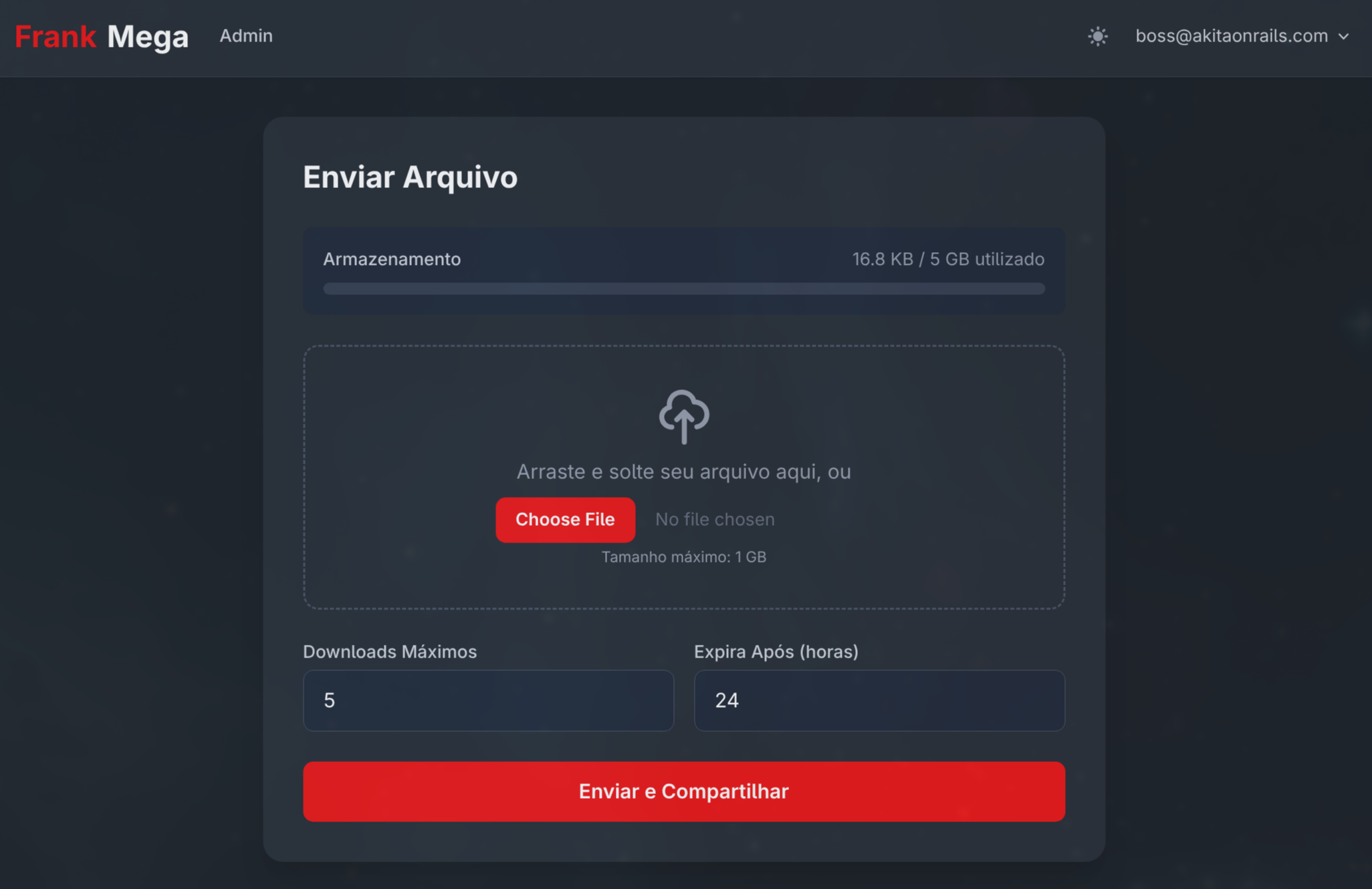
- Full I18n (EN + PT-BR) – 66 files, ~250 strings extracted
- Terms of Service with mandatory acceptance
- User self-deletion – privacy requirement
- Blocked downloads for banned users – their links return 410 Gone
- Client-side upload validation – checks size, quota and filename before upload
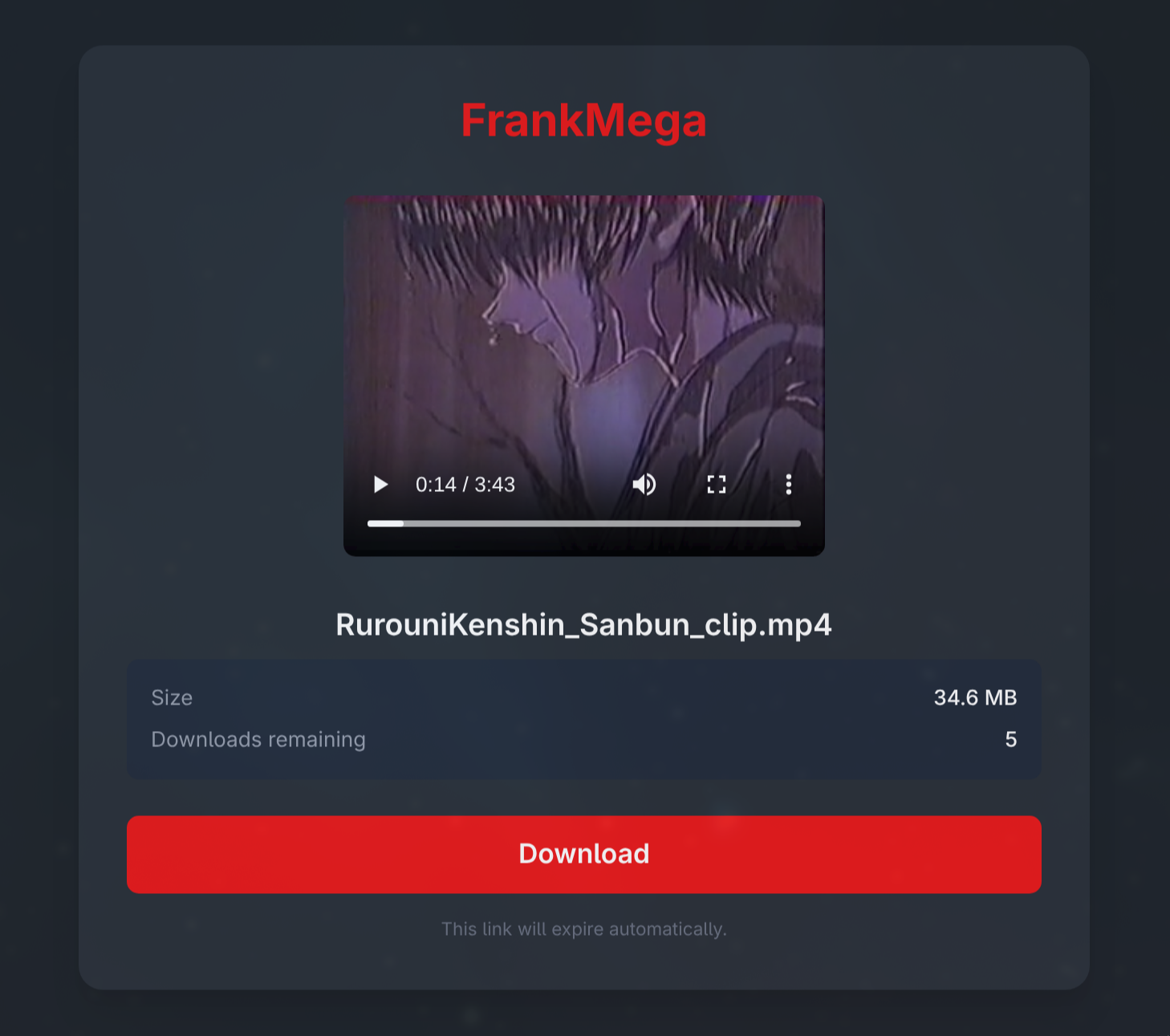
- Inline file previews – images, video and audio on the download page without consuming downloads
- Styled error pages – instead of plain text “Not Found”, branded pages with i18n
The IDEA.md said “use activeadmin or administrate”. In practice I built a custom admin panel with Tailwind because administrate had compatibility issues with Rails 8.1. The IDEA.md mentioned “progress bar if possible”. In practice I used drag-and-drop with a file preview via Stimulus, which is better than a progress bar.
Nobody can predict every feature on day 1. You discover requirements as you build. And each new feature brings edge cases that need handling.
The Numbers
At the end of the project:
- 21 commits in a ~3-hour session
- 210 tests (Minitest + FactoryBot), 513 assertions, zero failures
- ~3,100 lines of application code (models, controllers, views, JS, CSS, configs)
- ~1,965 lines of tests (including dedicated security tests)
- 9 models, 20 controllers, 36 views, 9 Stimulus controllers
- 24 distinct security measures across 7 layers
- CI: SimpleCov, RuboCop (zero offenses), Brakeman (zero warnings), bundler-audit (zero vulnerabilities)
- Zero external dependencies beyond SQLite. No Redis, no PostgreSQL, no external queue service
The Invitation-Only Server
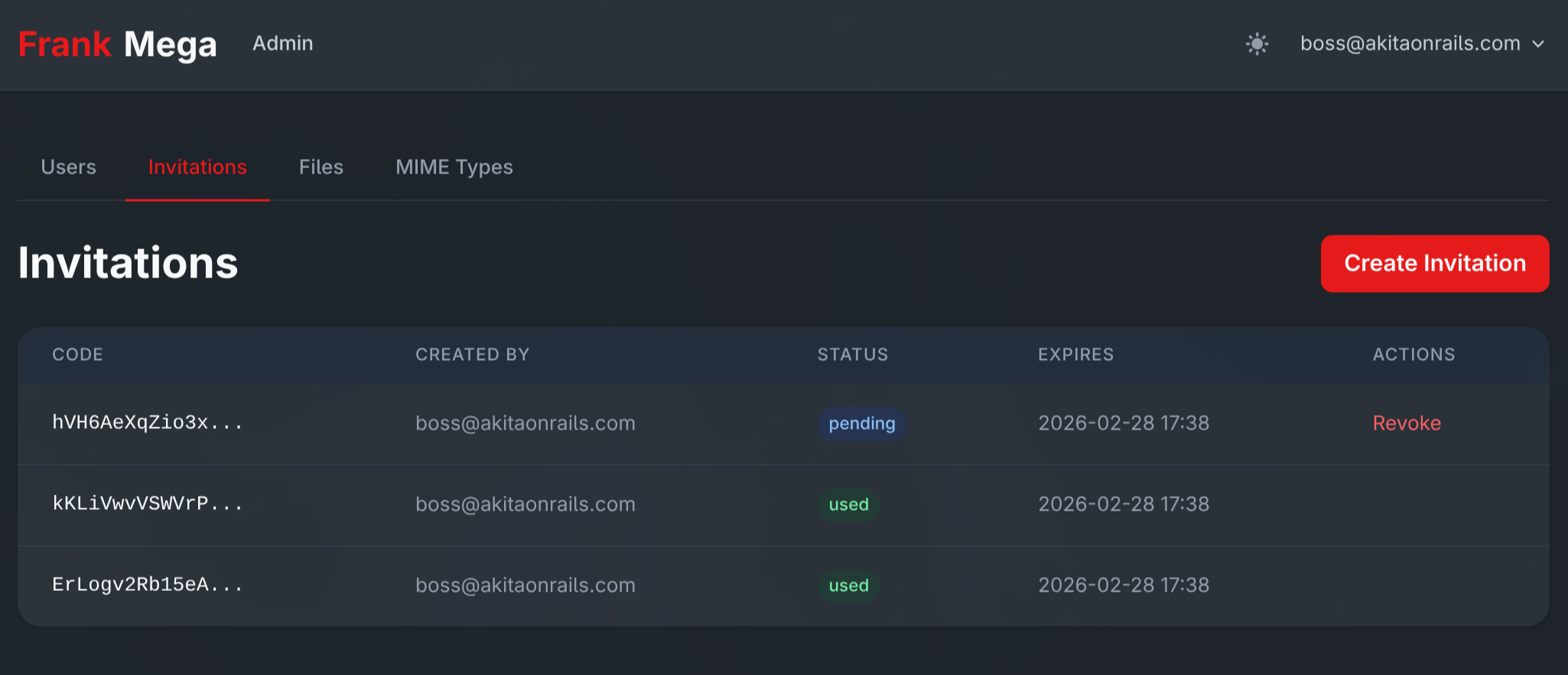
FrankMega has no public signup. The flow is:
- On first run, with no users, the setup screen appears to create the admin
- The
/setuproute only exists whileUser.count.zero?– afterward it vanishes entirely:
constraints(->(request) { User.count.zero? }) do
  get "setup", to: "setup#new"
  post "setup", to: "setup#create"
end- The admin creates invites in the admin panel (with expiration)
- Each invite generates a unique 16-byte code
- Each code can only be used once (
with_lock+ transaction to prevent a race condition) - After signup, the invite is marked as “used”
This is perfect for a personal/family service. Full control over who gets in.
Deploy: Docker + Cloudflare Tunnel
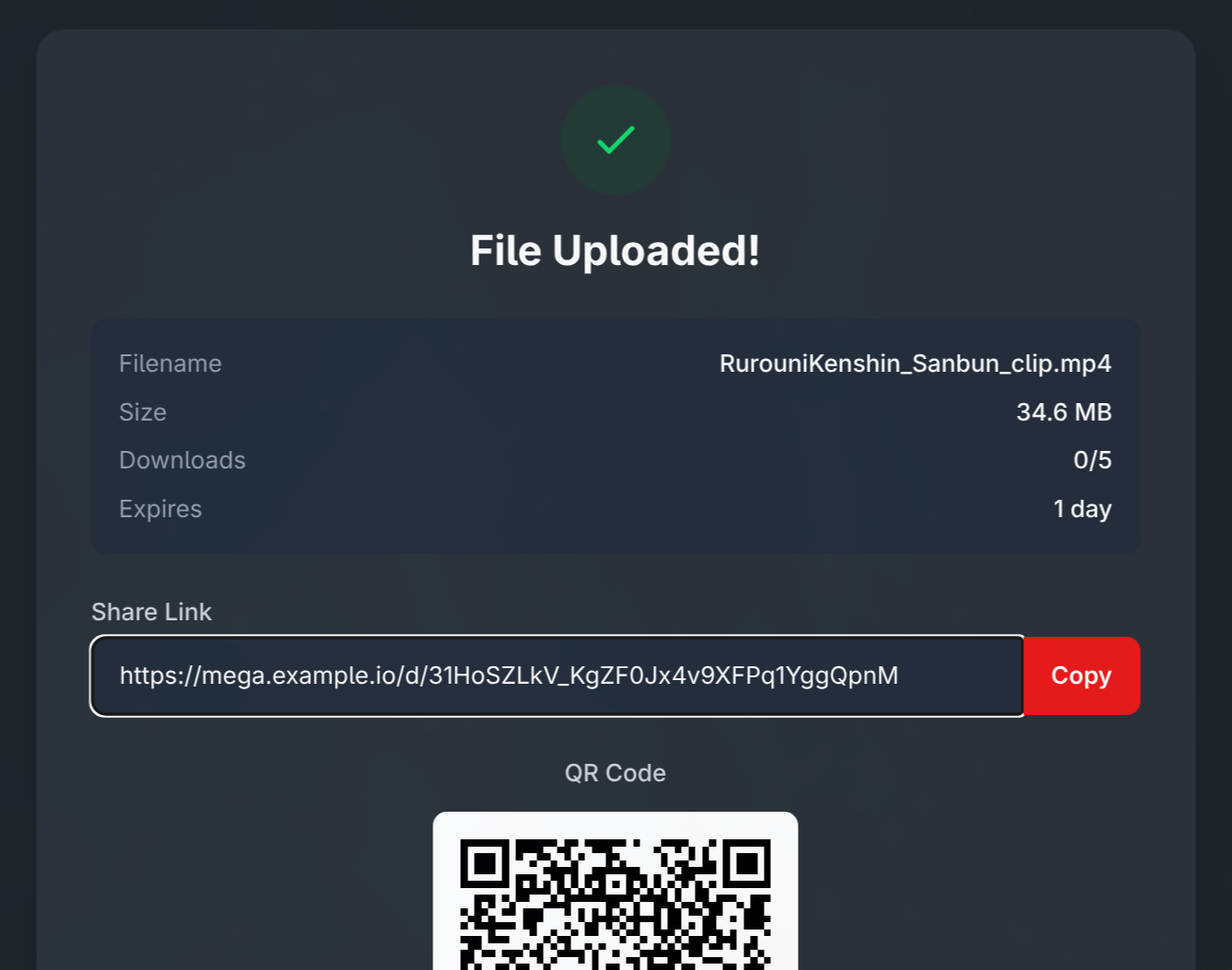
To wrap up, the deploy tutorial in case you want to run this on your own Docker home server. It’s not complicated but there are details that matter.
The Dockerfile
Multi-stage build in 3 stages:
# Stage 1: Base (runtime)
FROM ruby:3.4.8-slim AS base
RUN apt-get install -y curl libjemalloc2 libvips sqlite3
# jemalloc for better memory management

# Stage 2: Build (throwaway)
FROM base AS build
RUN apt-get install -y build-essential git libssl-dev
# Bundle install + asset precompilation with dummy env vars

# Stage 3: Final
# Copies gems and app, runs as non-root user (rails:rails, UID 1000)
CMD ["./bin/thrust", "./bin/rails", "server"]
bin/thrust is Thruster (from Basecamp) – an HTTP proxy in front of Puma that handles gzip/brotli compression, asset caching, X-Sendfile acceleration. It listens on port 80 and proxies to Puma on 3000.
The entrypoint runs db:prepare and db:seed automatically at boot:
#!/bin/bash -e
if [ "${@: -2:1}" == "./bin/rails" ] && [ "${@: -1:1}" == "server" ]; then
  ./bin/rails db:prepare
  ./bin/rails db:seed
fi
exec "${@}"
docker-compose.yml
Two services:
services:
  web:
    image: akitaonrails/frankmega:latest
    ports:
      - "3100:80"
    volumes:
      - /home/seuuser/frankmega/uploads:/rails/storage/uploads
      - /home/seuuser/frankmega/db:/rails/storage
    environment:
      SECRET_KEY_BASE: ${SECRET_KEY_BASE}
      HOST: ${HOST}
      # ... around 15 more variables
    restart: unless-stopped

  tunnel:
    image: cloudflare/cloudflared:latest
    command: tunnel run
    environment:
      - TUNNEL_TOKEN=${TUNNEL_TOKEN}
    depends_on:
      - web
    restart: unless-stopped
The cloudflare/cloudflared sidecar creates an outbound tunnel to Cloudflare’s edge. No need to open ports on your home server’s firewall. Cloudflare handles SSL termination, DDoS protection, and routes traffic to the container.
Step by Step
1. Create the Tunnel on Cloudflare:
- Cloudflare Zero Trust Dashboard > Networks > Tunnels > Create
- Type: Cloudflared
- Copy the
TUNNEL_TOKEN - Configure the hostname:
frankmega.yourdomain.compointing tohttp://web:80
2. Generate the secrets:
# SECRET_KEY_BASE
openssl rand -hex 64

# Encryption keys (3 separate values)
openssl rand -hex 32  # PRIMARY_KEY
openssl rand -hex 32  # DETERMINISTIC_KEY
openssl rand -hex 32  # KEY_DERIVATION_SALT
3. Configure .env:
SECRET_KEY_BASE=<generated above>
RAILS_MASTER_KEY=<from config/master.key>
HOST=frankmega.seudominio.com
WEBAUTHN_ORIGIN=https://frankmega.seudominio.com
WEBAUTHN_RP_ID=frankmega.seudominio.com
ACTIVE_RECORD_ENCRYPTION_PRIMARY_KEY=<generated>
ACTIVE_RECORD_ENCRYPTION_DETERMINISTIC_KEY=<generated>
ACTIVE_RECORD_ENCRYPTION_KEY_DERIVATION_SALT=<generated>
TUNNEL_TOKEN=<from Cloudflare>
FORCE_SSL=true
APP_LOCALE=pt-BR
4. Bring it up:
docker compose pull
docker compose up -d
5. Visit https://frankmega.yourdomain.com, create the admin account, start using it.
Important Caveats
FORCE_SSL=falseto test locally athttp://localhost:3100without Cloudflare in front, otherwise you hit a redirect loop- The WebAuthn origin has to match exactly, including
https://. If you get it wrong, passkeys silently stop working - Cloudflare IPs are hardcoded in the initializer (because the
cloudflare-railsgem isn’t compatible with Rails 8.1). If Cloudflare changes the ranges, you need to rebuild the image - Encryption keys are permanent. If you swap them after users configure 2FA, the OTP secrets become unreadable and users lose access
- Cloudflare free has a 100 MB upload limit. On the free plan, files above that don’t make it through the tunnel. The app allows up to 1 GB but Cloudflare is the bottleneck
- The container runs as UID 1000. If you use bind mounts instead of named volumes, the directory has to be owned by UID 1000
- There are 4 separate SQLite databases in production (app, cache, queue, cable), all in the
db_datavolume. Backup means copying the entire volume
The Real Point About “Vibe Coding”
Claude Code is absurdly productive. I wouldn’t have done all of this in 3 hours without it. Remember when you’d bang your head against the wall for a week just to get login working? Yeah.
The I18n commit alone (66 files, ~250 strings extracted for two languages) would take a full day by hand.
But here’s the point nobody wants to hear: the LLM did not make the security decisions. I asked it to run an audit and it found the problems, but I had to know how to ask. And I had to know which questions to ask. “Review security” is a vague instruction. “Check if there’s a race condition on the download counter increment” is an instruction only someone who knows what TOCTOU is can give.
Those 56 lines of IDEA.md carry decades of web development experience. I knew to ask for rate limiting because I’ve seen services taken down by bots. I knew to ask for IP banning because I’ve dealt with abuse. I knew to ask for an atomic download counter because I understand concurrency.
If a beginner wrote the same IDEA.md, they probably wouldn’t have half of those concerns. And the LLM wouldn’t spontaneously suggest them. The result would be a service that’s functional, pretty, and completely insecure.
The experienced programmer’s value in Vibe Coding isn’t writing code. It’s knowing what to ask for and reviewing what was generated. Experience is the filter between “works” and “works in production”.
Those 210 tests and 24 security measures didn’t come from prompt engineering. They came from knowing what to test and why.
The code is open source under AGPL-3.0: github.com/akitaonrails/frank_mega. Deploy it on your server, poke around the code, learn from the commits. And if you find more security flaws, let me know.
Remember:
AI is the mirror of your own competence.